


Large parties, booked on your own website.
A guest asks for a table for 14 on your site. You answer in MenuFramer, hold the tables and take the deposit into your own Square. Events and catering land on the same calendar.
Why it matters
Every booking on its day, with its next step.
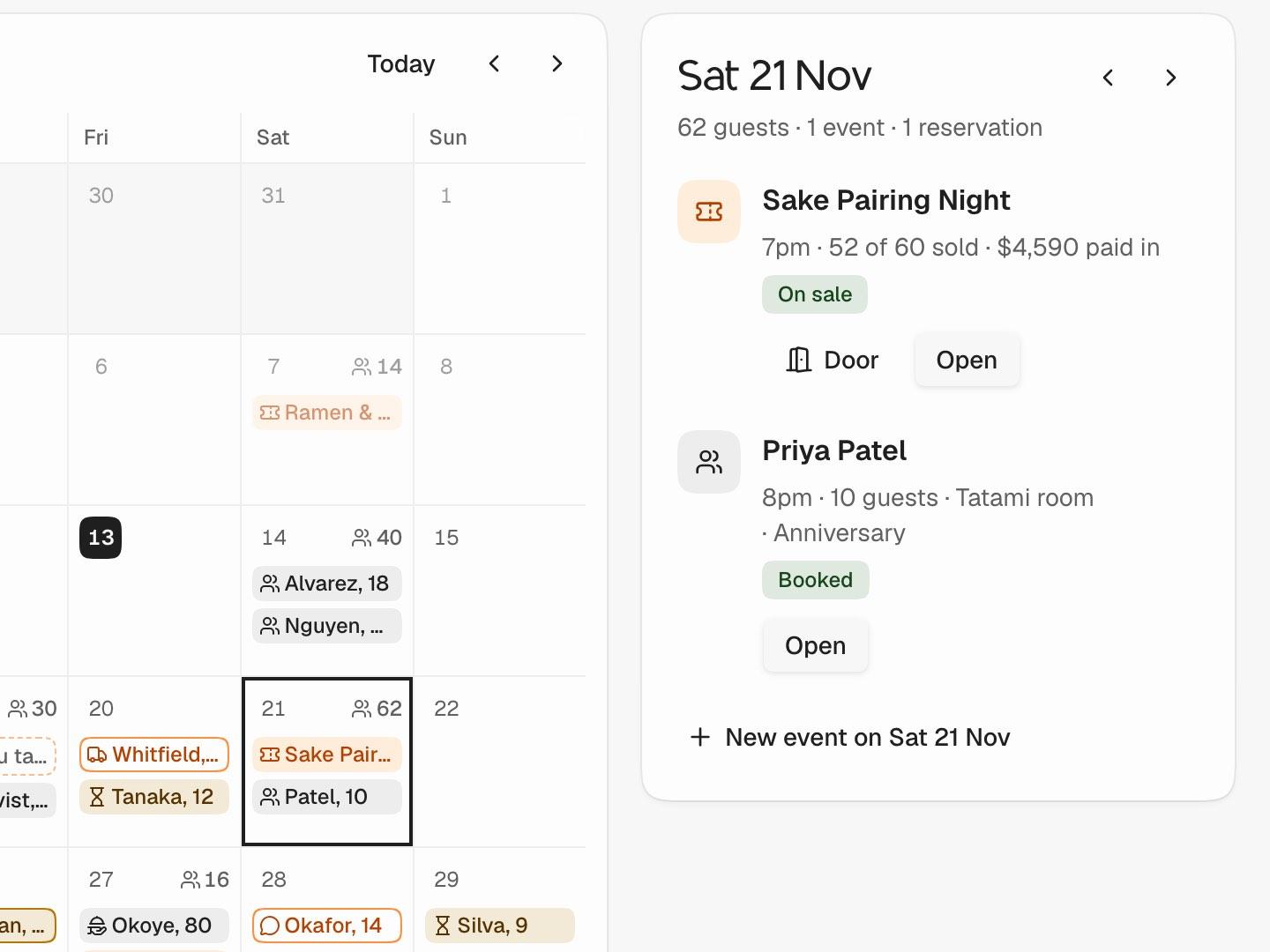
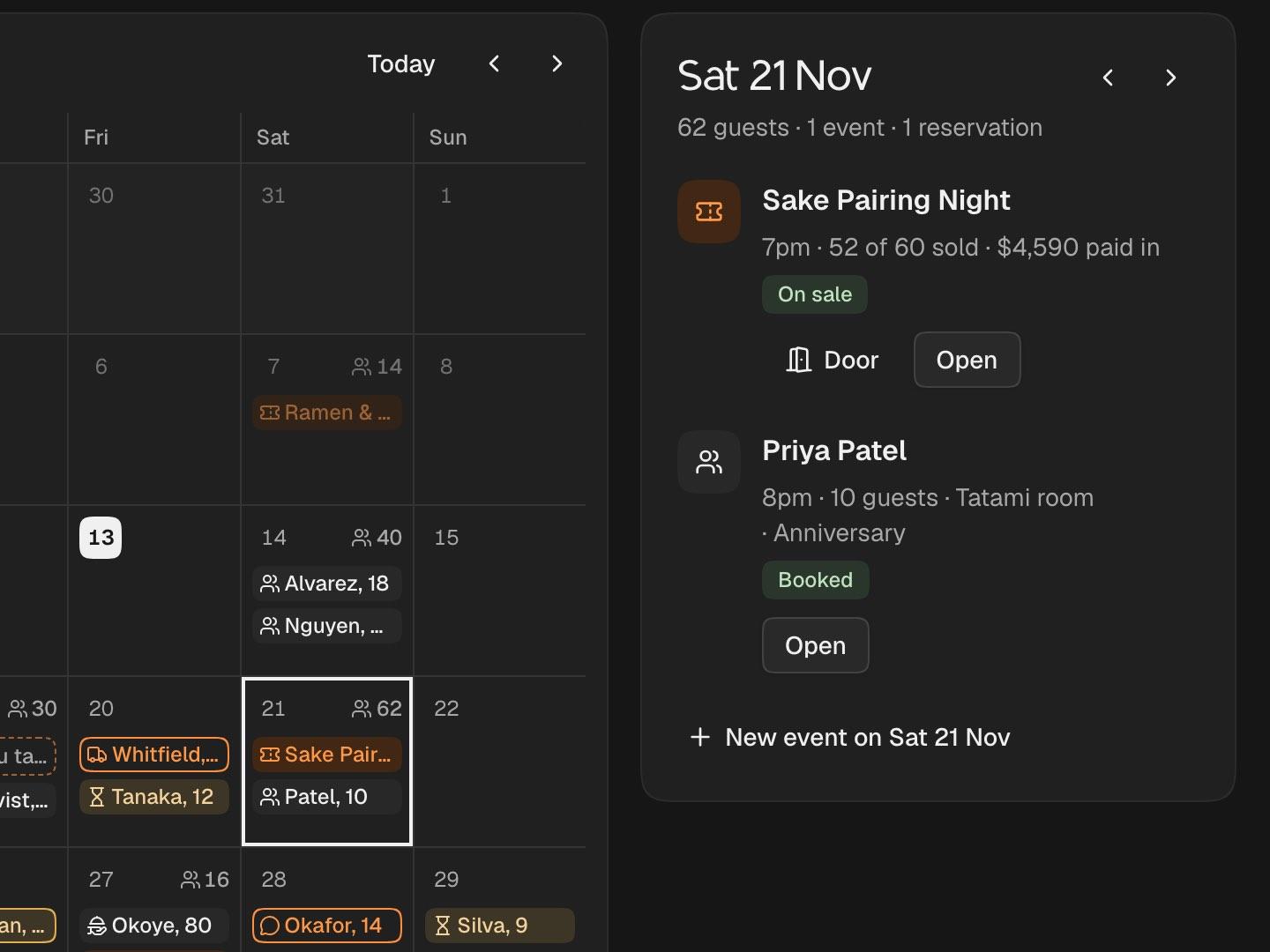
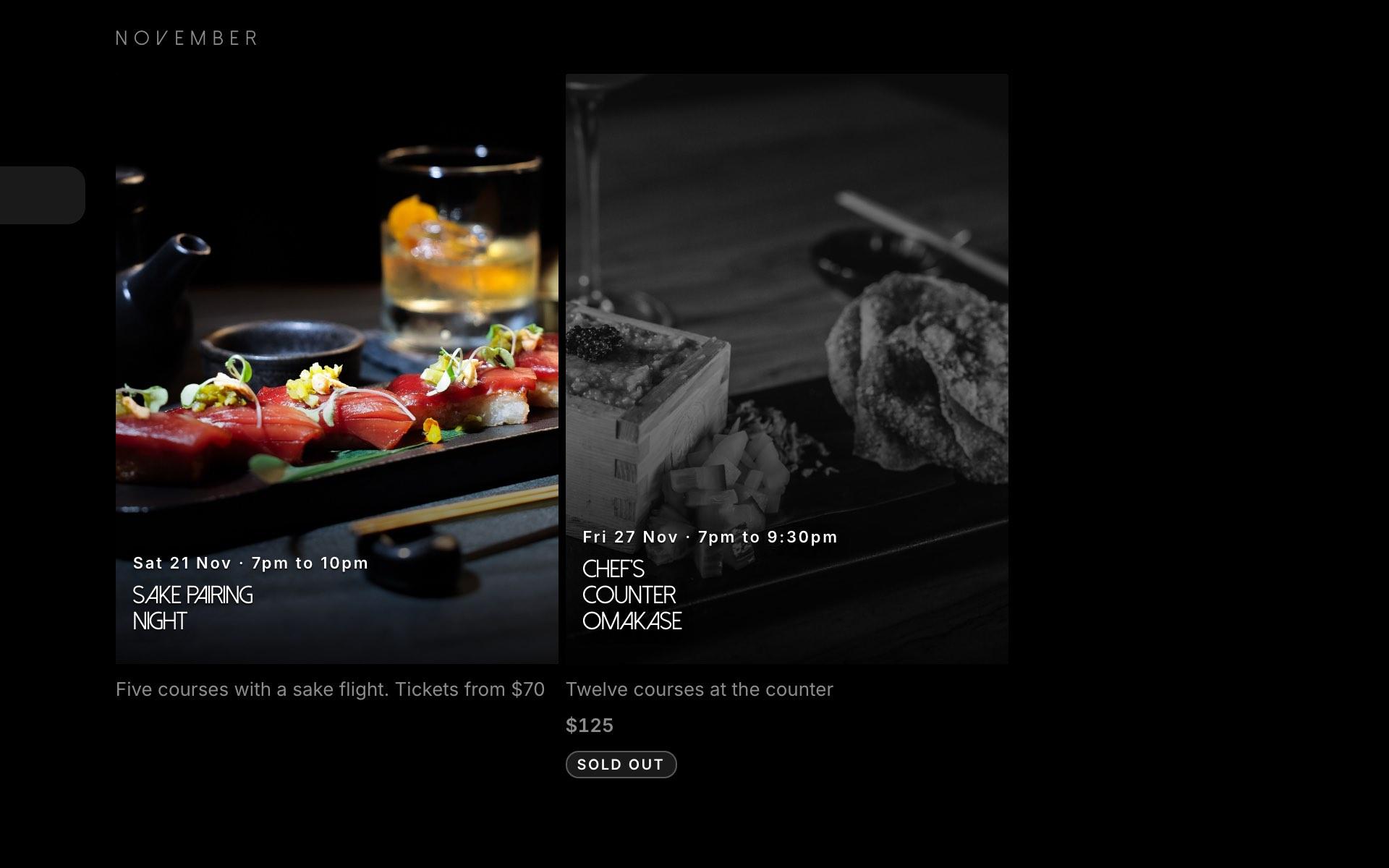
Open a day to see what's on it: tickets for a sake pairing night, a party of 10 booked, a party of 14 waiting on your reply. Each comes with the button for what it needs next: Reply, Call, Door or Open.
How it works
From a request on your site to a booked table.
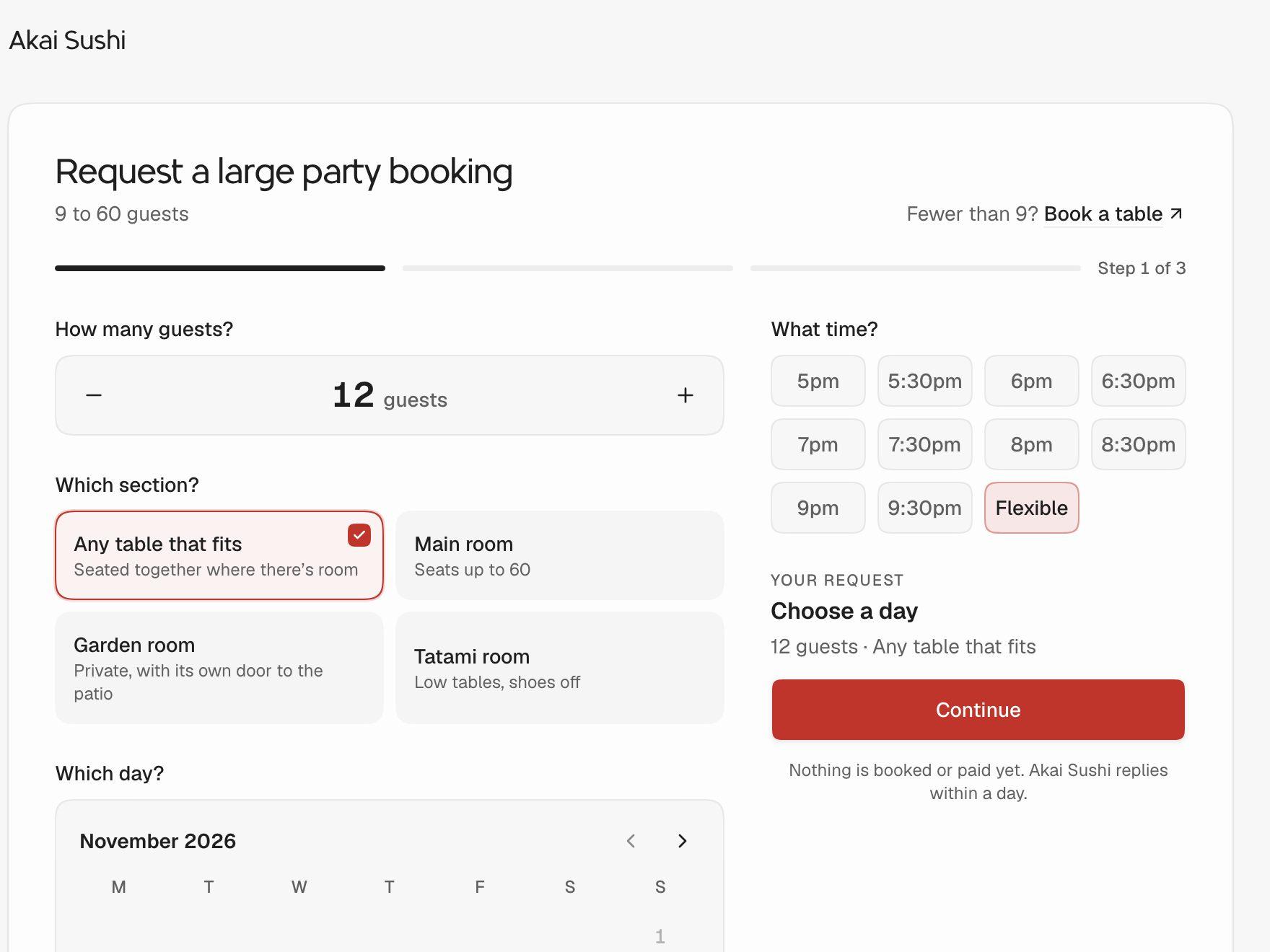
Step 1: A guest asks
- On your website
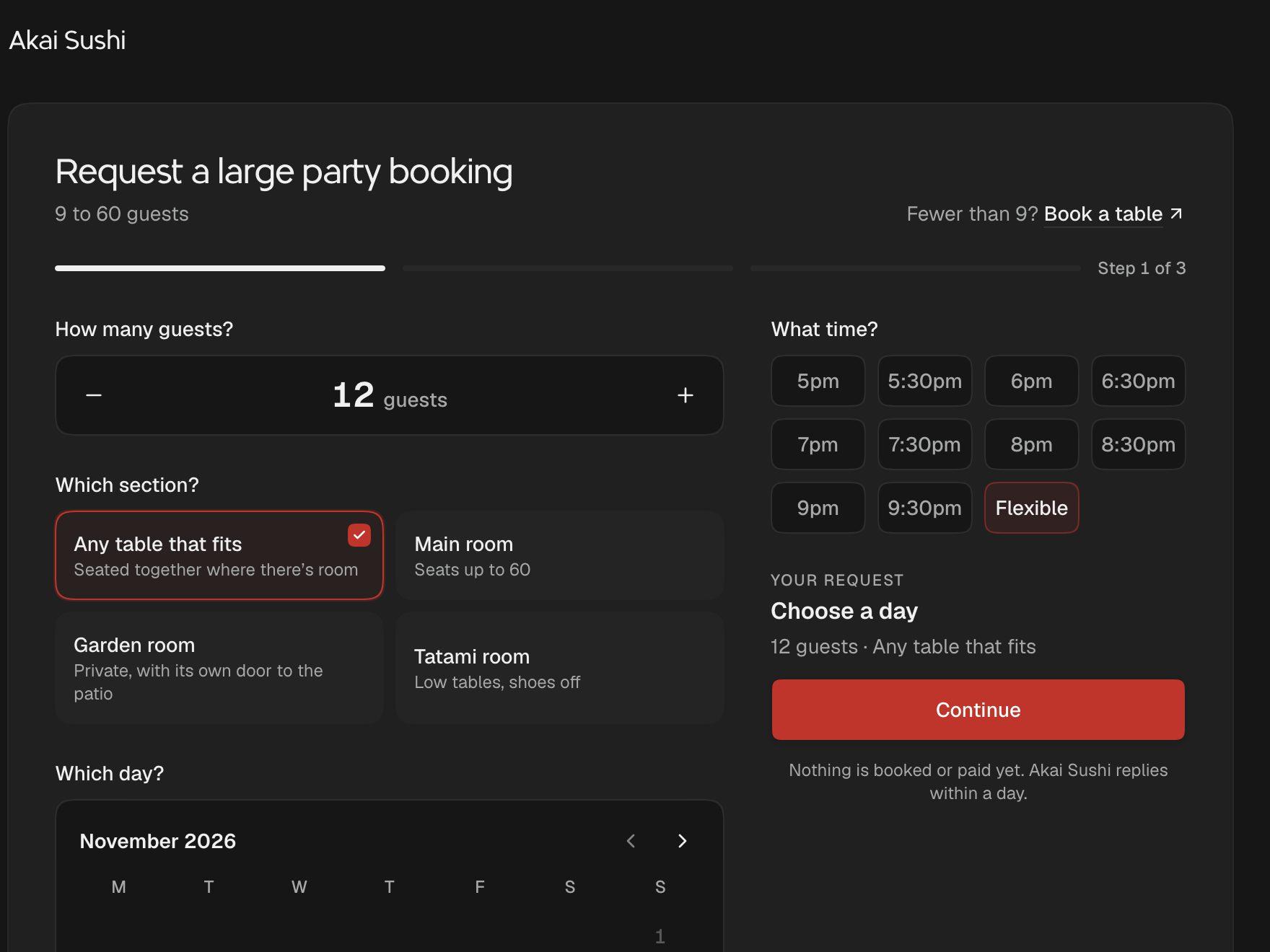
- They choose how many are coming, a section, a day and a time, what they'd like to eat and any allergies, on the form on your private dining page.
- In MenuFramer
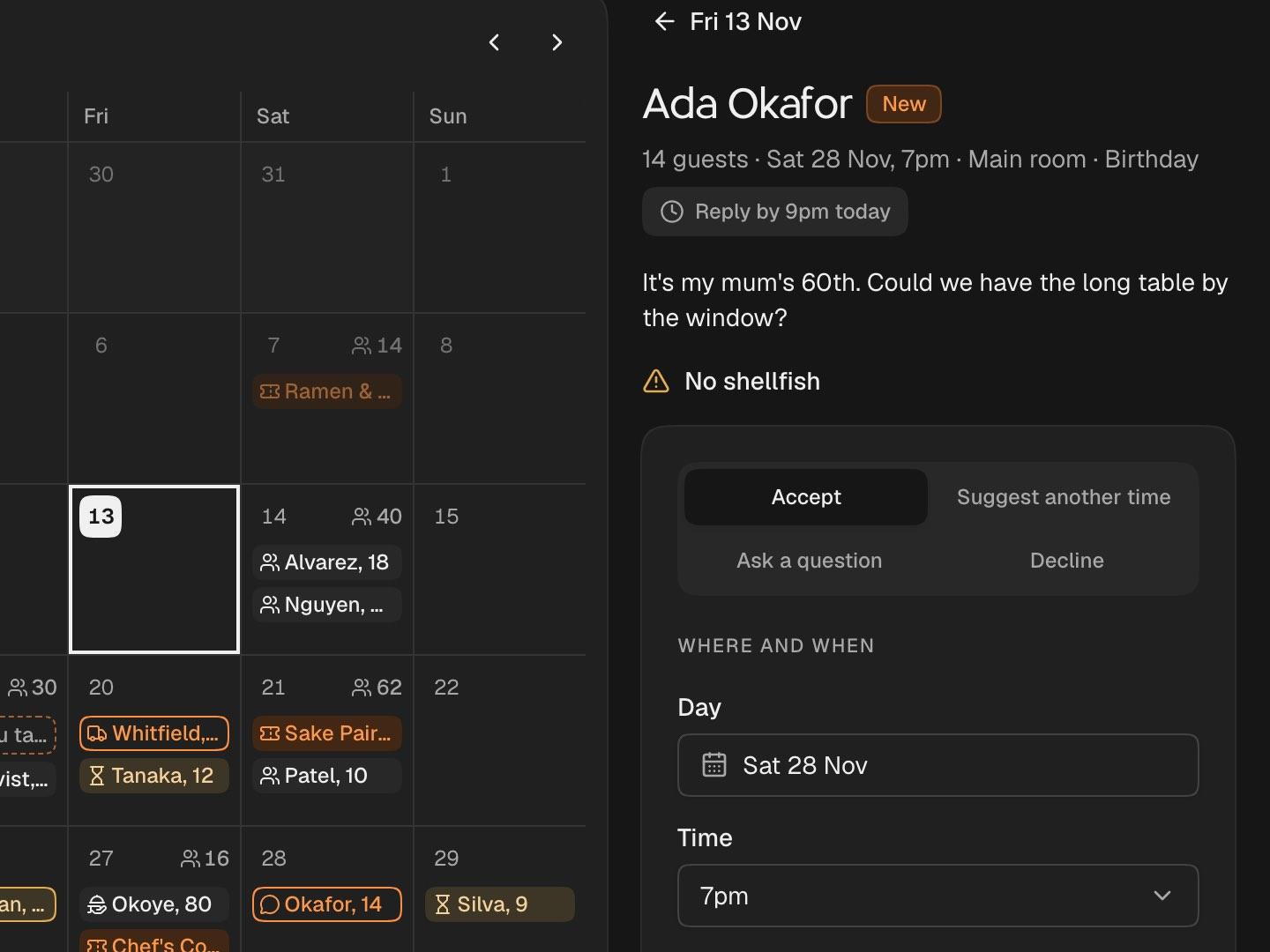
- A new request in Reservations, with who to call and when, and the page it came from.
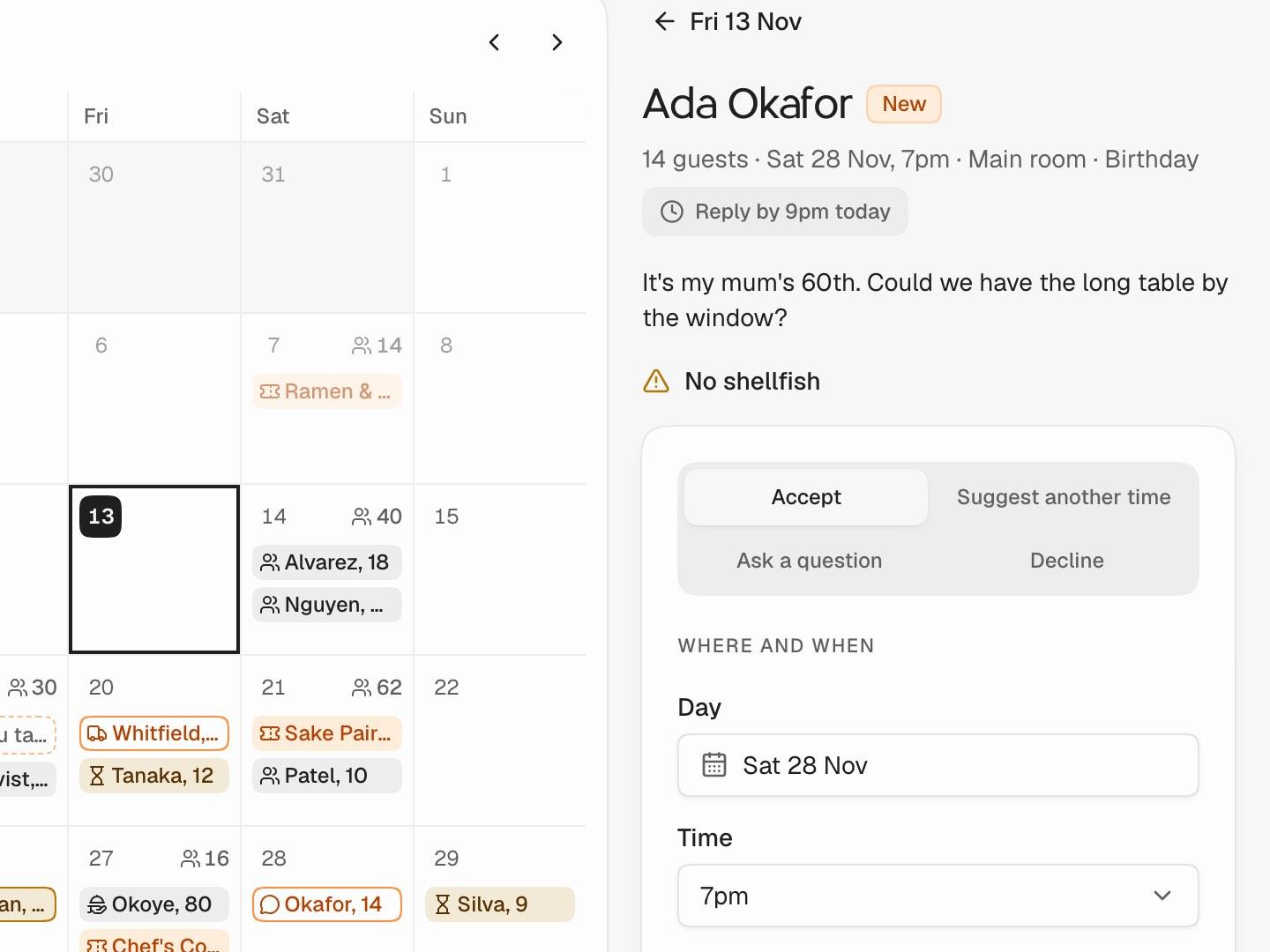
Step 2: You answer
- In MenuFramer
- Accept holds the section or the tables you pick until a time you set. Or suggest another time, ask a question or decline, each with a note you can change.
- On your website
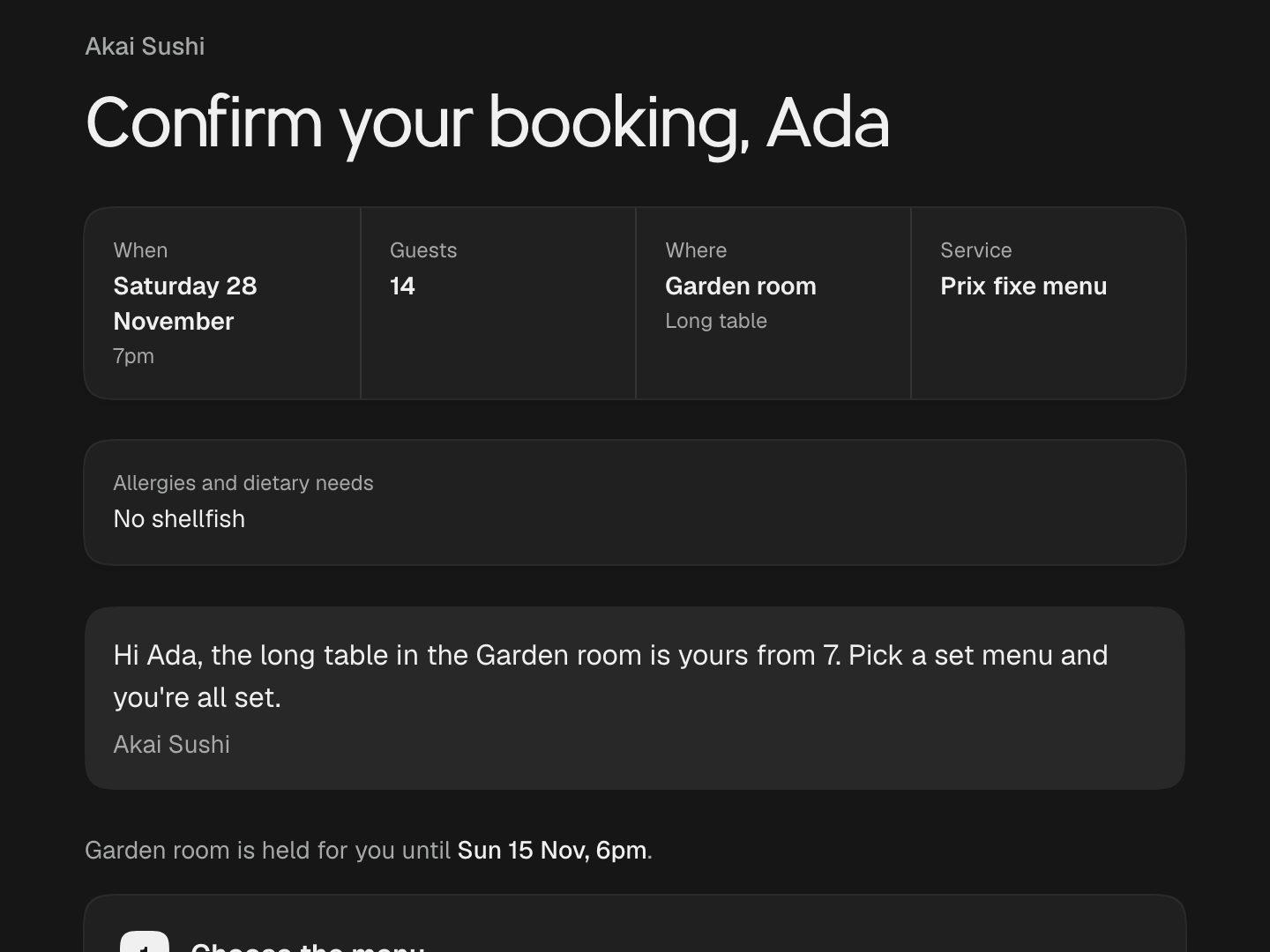
- They hear back by email, with a link to their booking.
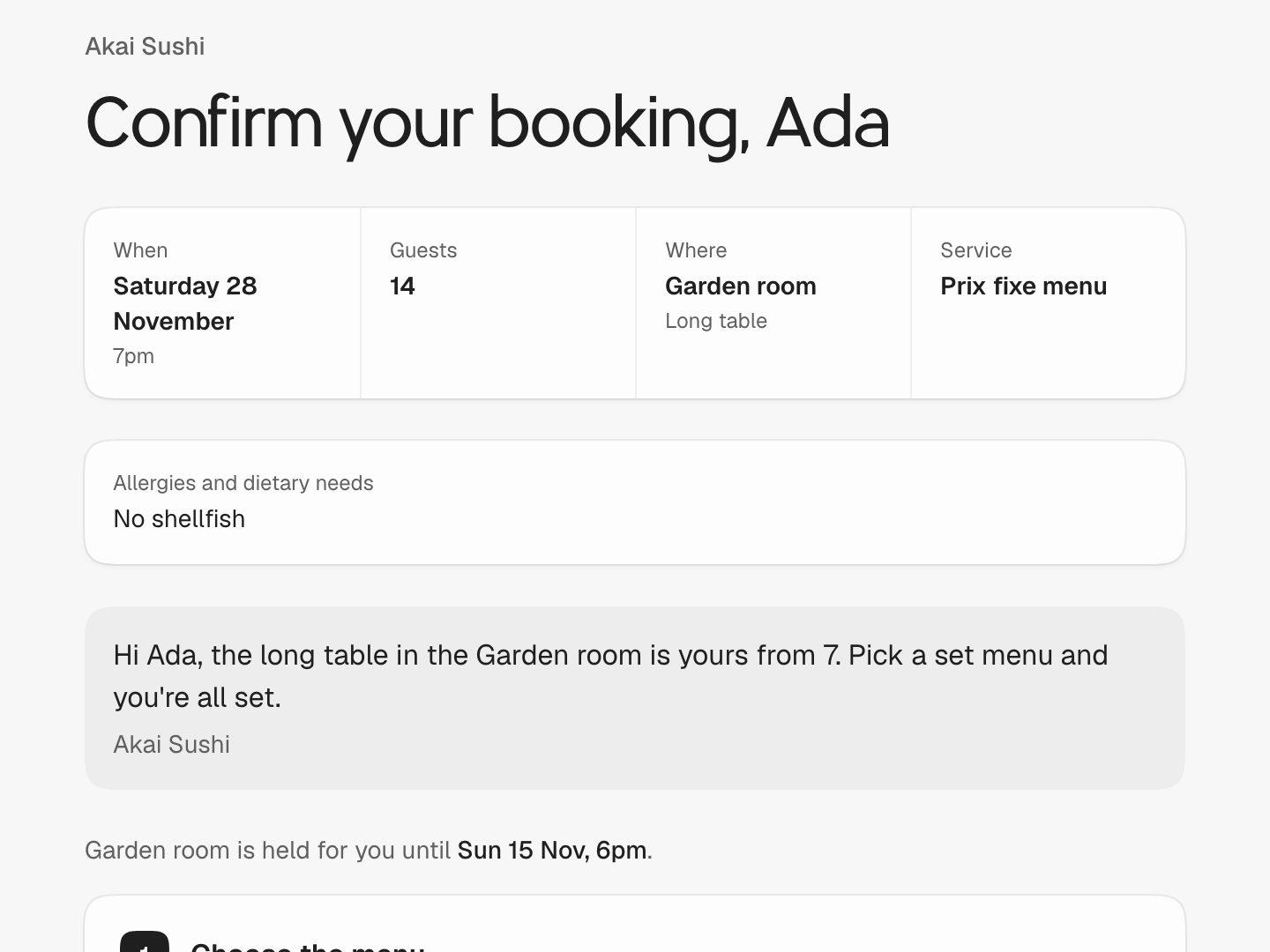
Step 3: They confirm
- On your website
- From their link they pick a set menu, agree to your terms and pay the deposit into your Square.
- In MenuFramer
- Each step they take shows on the request, until it reads Booked.
Step 4: It's on the calendar
- In MenuFramer
- The booking sits on its day with the deposit to take off the bill on the night, beside your events and catering.
- On your website
- Add to calendar puts it in theirs, with your address.
One line on any page
Paste the form on your private dining page, add a Book button to every page, or share the form's own page. It wears your menu's colour and its light or dark.
Deposits into your Square
Set one deposit for the booking, due to confirm or within the hours you choose after accepting. MenuFramer keeps $1.00 of each payment.
Sections, tables and set menus
Hold a whole section or the tables you pick, offer set menus priced per guest, and set a minimum spend for the bill.
More bookings
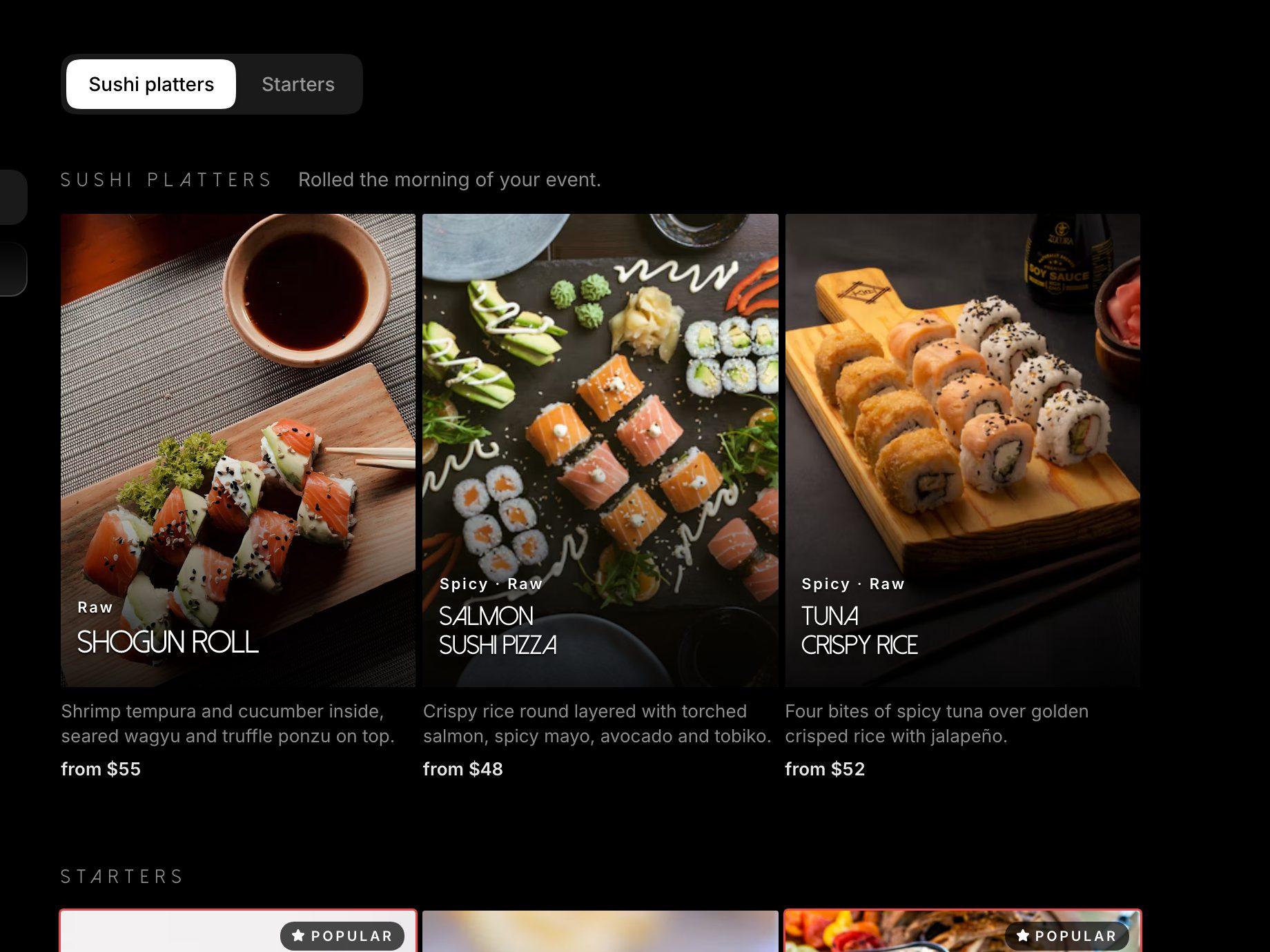
Tickets and catering, on the same calendar.
Questions
What owners ask before taking bookings.


Take the big tables on your own site.
See a live menu, then paste the form on your private dining page.